
I didn’t buy the GEEKOM A5 to review it. I bought it because I needed a dedicated machine to run my automated business systems around the clock — without tying up my main laptop.
Six months later, it’s still running. Here’s what I actually think.
Why I chose a mini PC for business automation
I run a small import resale operation. That means monitoring supplier websites for price changes, scraping inventory data, running scheduled Python scripts, and feeding everything into n8n-powered AI automation pipelines — 24 hours a day, 7 days a week.
My main laptop couldn’t handle being both a work machine and a 24/7 automation server. I needed something small, silent, and always-on. I didn’t need a gaming rig. I needed reliability.
The GEEKOM A5 2026 Edition caught my attention for three reasons: compact size, low power draw, and Windows 11 Pro out of the box — which meant zero migration headaches for my existing Python and Windows Task Scheduler setup.
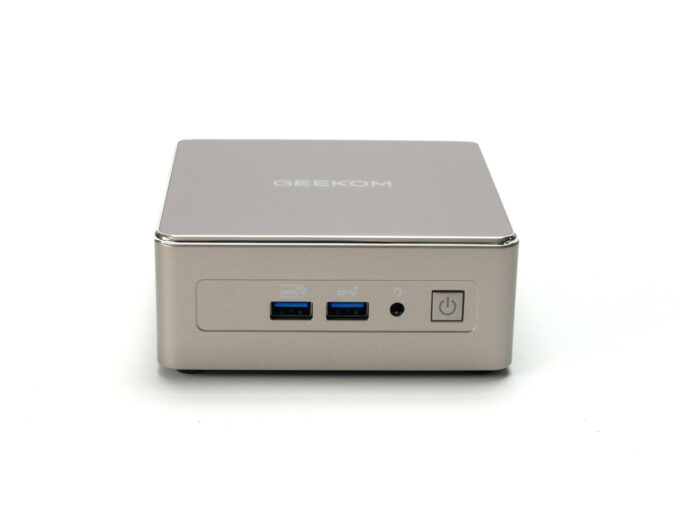
Specs at a glance
| CPU | AMD Ryzen 5 7430U (6 cores / 12 threads, up to 4.3GHz) |
| RAM | 16GB DDR4 (upgradable to 64GB) |
|
Stora
ge |
512GB PCIe NVMe SSD + M.2 2242 expansion slot |
| Graphics | AMD Radeon Vega 7 |
| Connectivity | Wi-Fi 6, Bluetooth 5.2, 2.5GbE LAN |
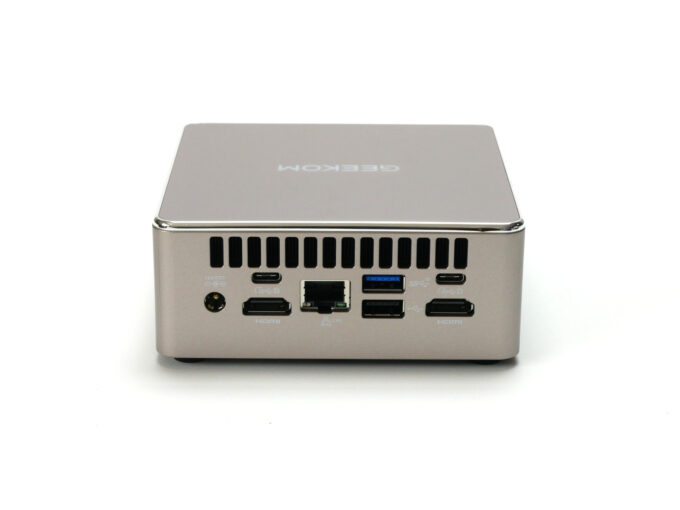
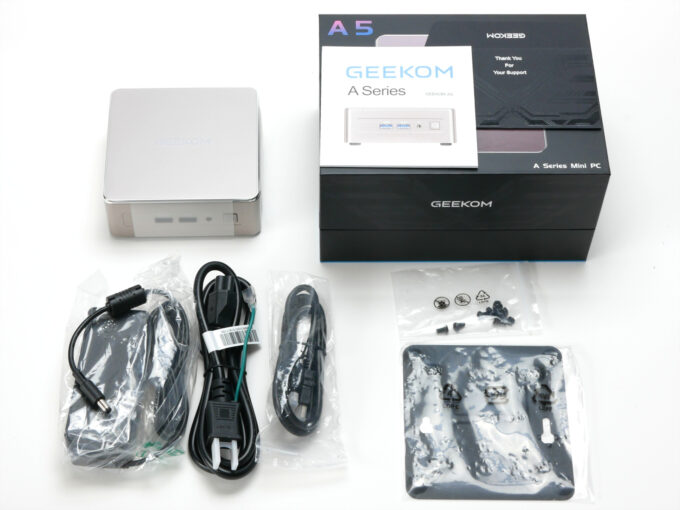
| Ports | 3× USB 3.2 Gen 2 Type-A, 2× USB-C (DisplayPort), 2× HDMI 2.0, SD card slot |
| OS | Windows 11 Pro (pre-installed) |
| Size | 117 × 112 × 49mm |
| Warranty | 3 years |
What I actually use it for
My GEEKOM A5 runs the following stack continuously:
- A custom Selenium-based scraper — monitoring 1,100+ product URLs across multiple global suppliers, running 4 times daily via Windows Task Scheduler
- An n8n automation pipeline — aggregating news feeds, Claude AI summarization, and scheduled email delivery
- Python automation scripts — price diffing, failure notifications, batch processing
The machine handles all of this without complaint. CPU usage during scraping peaks around 40–60%. Temperatures stay well within safe range. The fan is barely audible in a quiet room.
What I like
Always-on reliability. In six months of continuous operation, I’ve had zero hardware failures. The only downtime was a power outage — which I’ve since solved with a UPS.
Silent enough for an office. The IceBlast 2.0 cooling system with dual copper heat pipes does its job quietly. Under normal automation workloads, you won’t hear it.
Genuinely upgradeable RAM. Unlike many mini PCs that solder LPDDR memory, the A5 uses standard DDR4 SODIMMs. I can upgrade to 64GB if my workloads grow. That matters for longevity.
Windows 11 Pro included. This is not a trivial point. A standalone Windows 11 Pro license costs ¥20,000+. Getting it pre-installed in a ¥70,000 machine is significant value.
Compact footprint. It sits behind my monitor on a VESA mount. It occupies zero desk space.
What I don’t love
Ryzen 7430U is Zen 3, not Zen 4. The chip performs well, but it’s worth knowing you’re getting a repositioned architecture, not AMD’s latest. For my use case — Python scripts and browser automation — this is irrelevant. For heavy video editing or AI inference, look at the A8 or A9 MAX.
No 2.5″ SATA bay on the A5 Pro variant. The standard A5 has it. The Pro drops it. If you need massive local storage expansion, factor this in.
BIOS AC recovery needs manual setup. After my power outage, I had to enter the BIOS to set “Power On” after AC recovery, so the machine restarts automatically when power is restored. This is a one-time fix, but it’s not set by default.
Who this is for
The GEEKOM A5 is the right machine if you:
- Need a quiet, always-on Windows PC for automation, scripts, or home server duties
- Run Python, Node.js, or similar lightweight workloads
- Use Claude, ChatGPT, or other AI APIs in automated pipelines
- Want Windows 11 Pro without paying separately for a license
- Have limited desk space
- Don’t need discrete GPU performance
It is not the right machine if you need serious GPU compute, local AI model inference at speed, or you’re doing heavy video rendering.
Price and where to buy
In Japan, the GEEKOM A5 2026 Edition is available directly from GEEKOM’s official store.
Affiliate link
👉 Check current price on GEEKOM JapanFinal verdict
I didn’t buy the GEEKOM A5 to write a review. I bought it to run my business. The fact that it’s still running six months later, silently, without a single hardware issue, is the review.
For solo entrepreneurs and small business operators who need a dedicated, always-on Windows automation machine — this is a strong, honest recommendation.
Disclosure: I am a GEEKOM affiliate. If you purchase through my link, I may earn a small commission at no extra cost to you. All opinions are based on my personal six months of use.