
One morning, two of my automation scripts had stopped running.
The cause: a tripped circuit breaker. The GEEKOM had lost power completely. My Python, n8n, and Claude AI automation pipelines are just expensive boxes without electricity. That experience pushed me to finally set up a UPS.
This is the full story — from choosing the right UPS to installation and configuration — based on what actually happened.
1. Why the GEEKOM A5 needs a UPS
I run the GEEKOM A5 as a dedicated 24/7 AI automation machine. There are three reasons it can’t afford to go down unexpectedly.
Reason 1: Scripts interrupted mid-process When a Python automation script loses power mid-run, data can get corrupted or tasks can drop entirely.
Reason 2: Forced Windows shutdown An abrupt power cut can damage Windows system files — the kind of problem that shows up days later.
Reason 3: The machine won’t restart automatically Without the right BIOS setting, a GEEKOM that loses power won’t turn itself back on when power is restored. Your n8n workflows and Python scripts stay stopped until someone manually restarts it.
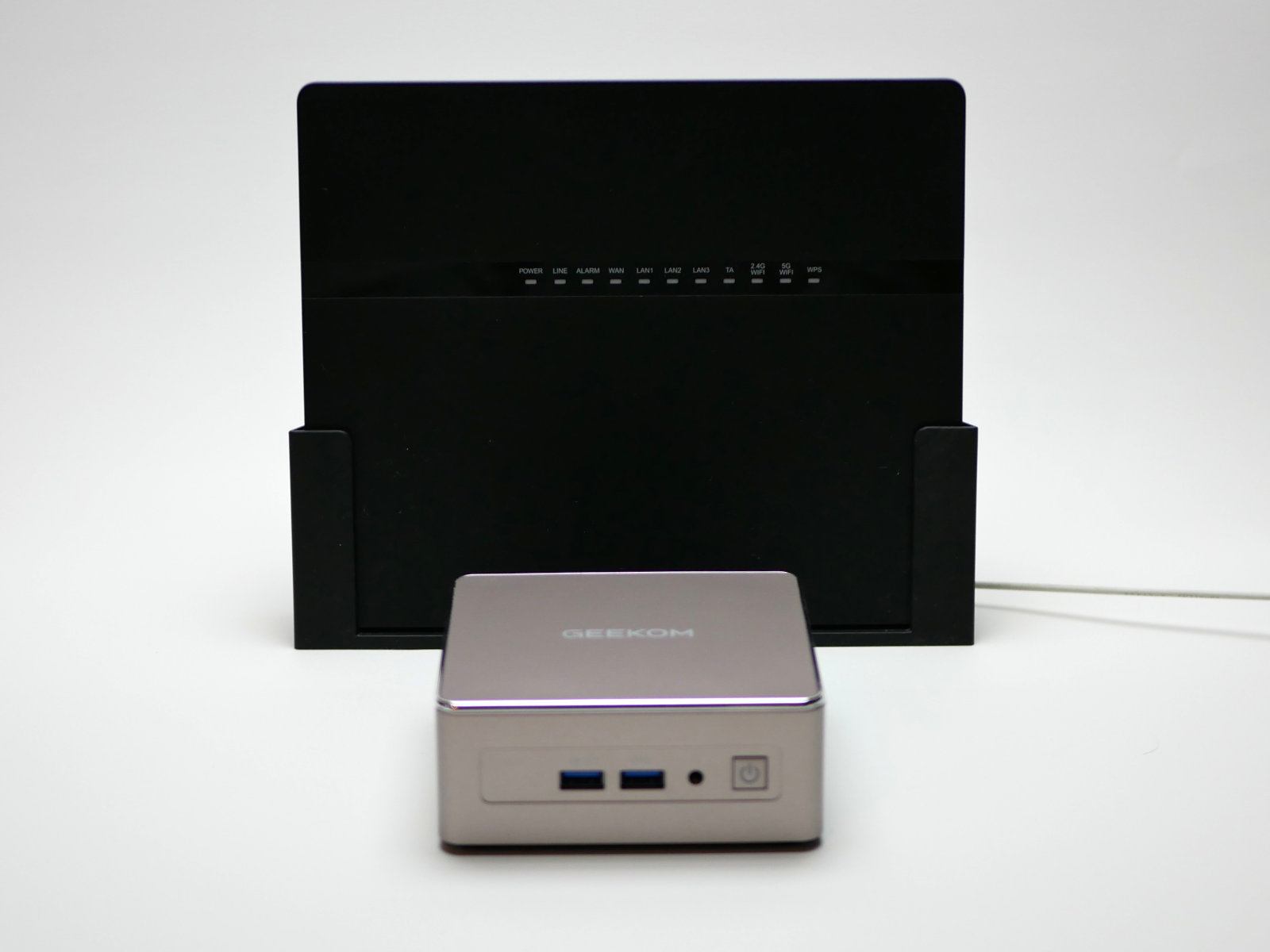
2. It’s not just power outages
Pure outages are rare. In modern homes, circuit breakers trip for other reasons — and they’re becoming more common.
Air conditioners running simultaneously In extreme heat or cold, multiple AC units running at once put enormous load on a circuit. Summer afternoons are the highest-risk window.
More appliances, same old wiring Induction cooktops, dishwashers, drum-style dryers — each draws significant power. Older homes with lower amperage contracts hit their limits faster than you’d expect.
Inrush current spikes When an air conditioner or refrigerator starts, it draws 3–5× its rated current for a fraction of a second. Multiple appliances starting at the same time can trip a breaker that would otherwise handle the steady-state load fine.
The GEEKOM itself draws almost nothing — but it gets caught in the crossfire.
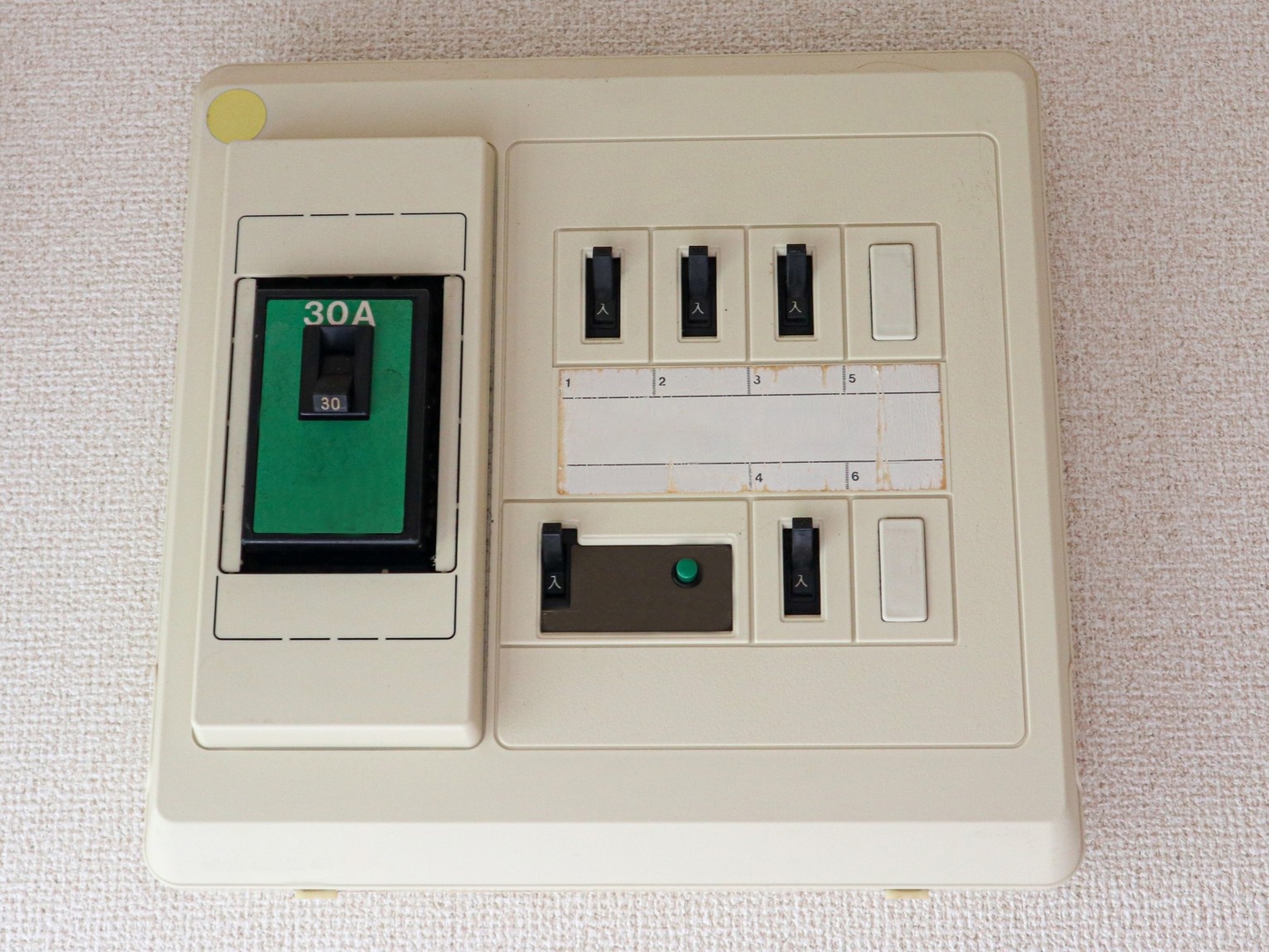
3. Choosing a UPS: Three models compared
The GEEKOM A5 draws 15–20W under normal automation workloads. You don’t need a large UPS. I narrowed it down to three candidates.
Option 1: APC BE425M-JP (approx. ¥9,000–¥12,000)
APC’s entry-level model. The first thing I looked at.
Pros
- Lowest upfront cost of the three
- Compact and easy to place
- At GEEKOM’s light load, provides 40+ minutes of backup
Cons
- Battery is not replaceable — full unit replacement needed in 3–5 years
- No PowerChute Personal Edition support (no automatic shutdown configuration)
- No USB port
- Outlets are side-mounted, which makes cable routing awkward
Best for: Minimising initial cost, backup for a secondary machine
Option 2: OMRON BY50S (approx. ¥24,000–¥31,000)
A Japanese domestic brand with a strong reliability reputation. My original second choice.
Pros
- Pure sine wave output — the most equipment-friendly waveform
- Hot-swappable battery (replace without powering down)
- 3-year warranty + free battery replacement in year 3 (requires user registration)
- Full Japanese-language support
- Battery lifespan of 4–5 years
- Cold start capable (can start with no AC input)
- USB Type-B port for PC connection — works with PowerAttendant Standard Edition (free download) for automatic shutdown
Cons
- Most expensive of the three
- Vertical form factor requires more floor space
- Shutdown software requires separate setup (free download)
Best for: Long-term deployment, minimising battery maintenance, Japanese-language support
Option 3: APC BE550M1-JP (approx. ¥17,000–¥27,000) — My choice
After comparing all three, this is what I bought.
Pros
- Replaceable battery (best long-term cost)
- PowerChute Personal Edition support (automatic shutdown configuration)
- USB Type-A port — charges smartphones and other devices even during an outage
- 9 outlets, top-mounted — easy cable management
- Best balance of price and specs
Cons
- Modified sine wave output (not pure sine wave)
- Battery replacement requires powering down (no hot-swap)
Best for: Always-on mini PC + router setup, cost-conscious buyers, anyone who wants automatic shutdown configured
Specs at a glance
| Spec | BE425M-JP | BE550M1-JP | BY50S |
|---|---|---|---|
| Brand | APC | APC | OMRON |
| Capacity | 425VA / 255W | 550VA / 330W | 500VA / 300W |
| Price (approx.) | ¥7,000–¥8,000 | ¥17,000–¥27,000 | ¥24,000–¥31,000 |
| Output waveform | Modified sine | Modified sine | Pure sine |
| Battery replacement | ❌ No | ✅ Yes | ✅ Hot-swap |
| Outlets | 6 (side) | 9 (top) | 6 |
| Auto shutdown | ❌ No | ✅ PowerChute | ✅ PowerAttendant |
| USB port | ❌ None | ✅ Type-A (charging) | ✅ Type-B (PC comms only) |
| Battery lifespan | 3–5 years | 3–5 years | 4–5 years |
| Support language | Japanese | Japanese | Japanese |
Which one should you get?
- Budget-first / secondary machine → BE425M-JP
- Always-on mini PC + router / automation use → BE550M1-JP (my pick)
- Long-term deployment / Japanese support priority → BY50S
👉 Check APC BE550M1-JP on Amazon
👉 Check APC BE425M-JP on Amazon
4. Power consumption math
The BE550M1-JP’s output ceiling is 330W. Running within 75% is recommended — that gives about 250W of usable capacity.
BE550M1-JP usable capacity:  ~250W
GEEKOM A5 under load:         15–20W
Router:                       10–15W
Combined:                     ~35W
Headroom:                    ~215W remaining
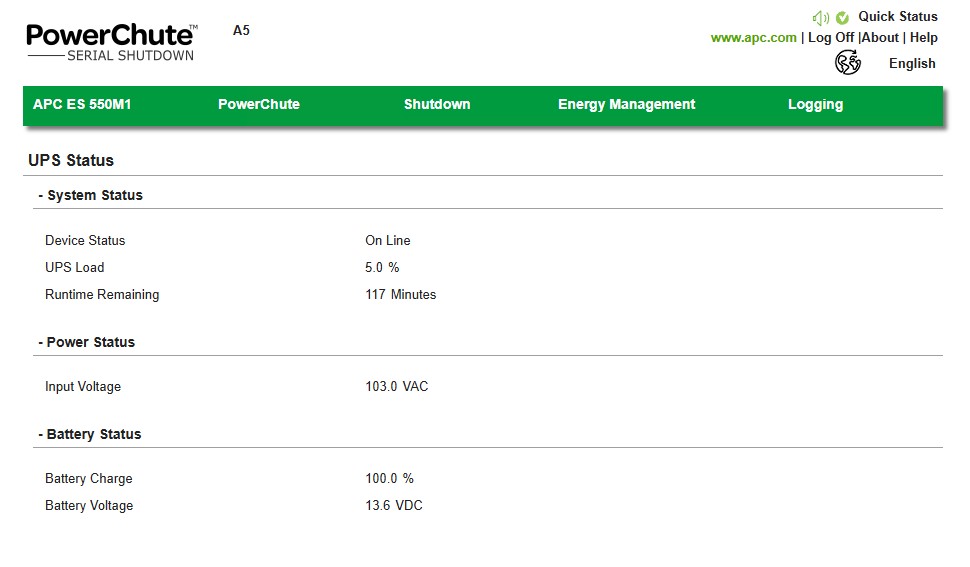
At 5.0% UPS load with the GEEKOM and router running, the PowerChute dashboard shows 117 minutes of runtime remaining. A clean Windows shutdown takes 2–3 minutes. That’s more than 60× the margin needed.
5. Recommended connection setup
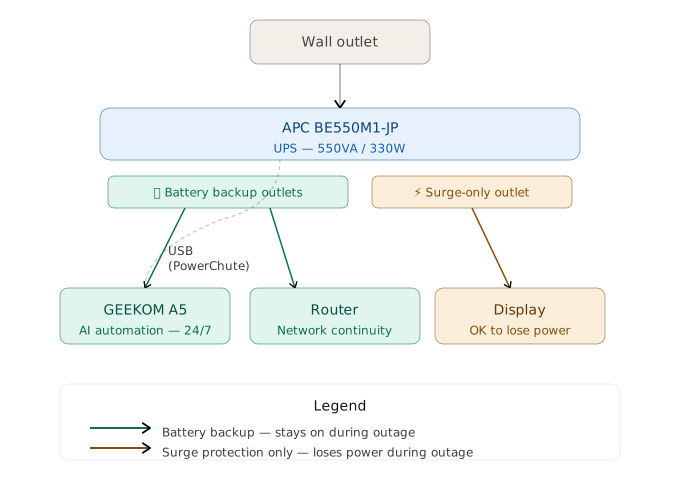
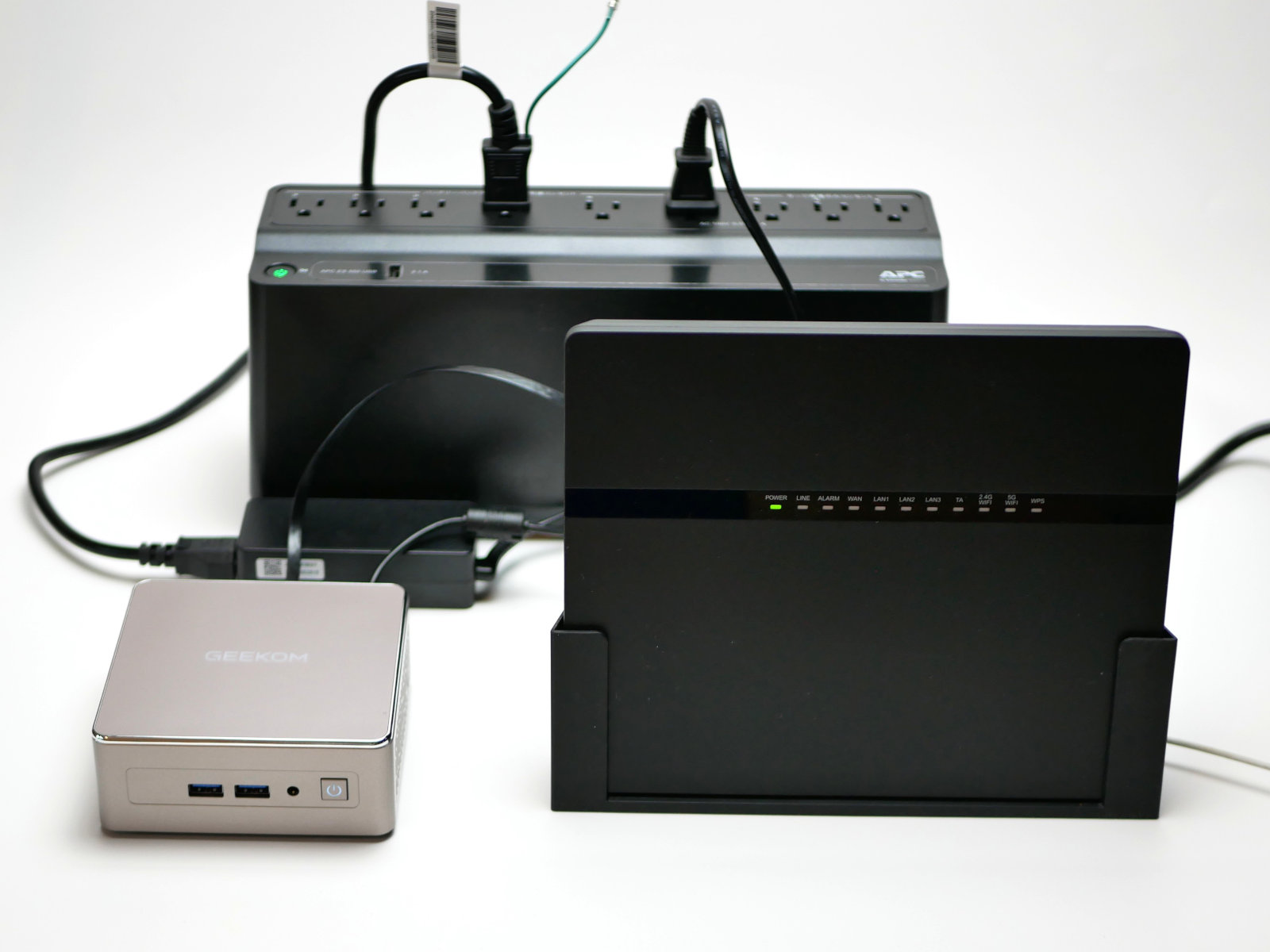
The router must go on a battery backup outlet. If the GEEKOM stays up but the network drops, every n8n workflow and Python API call fails anyway. The display can go on a surge-only outlet — it doesn’t matter if it loses power during an outage.
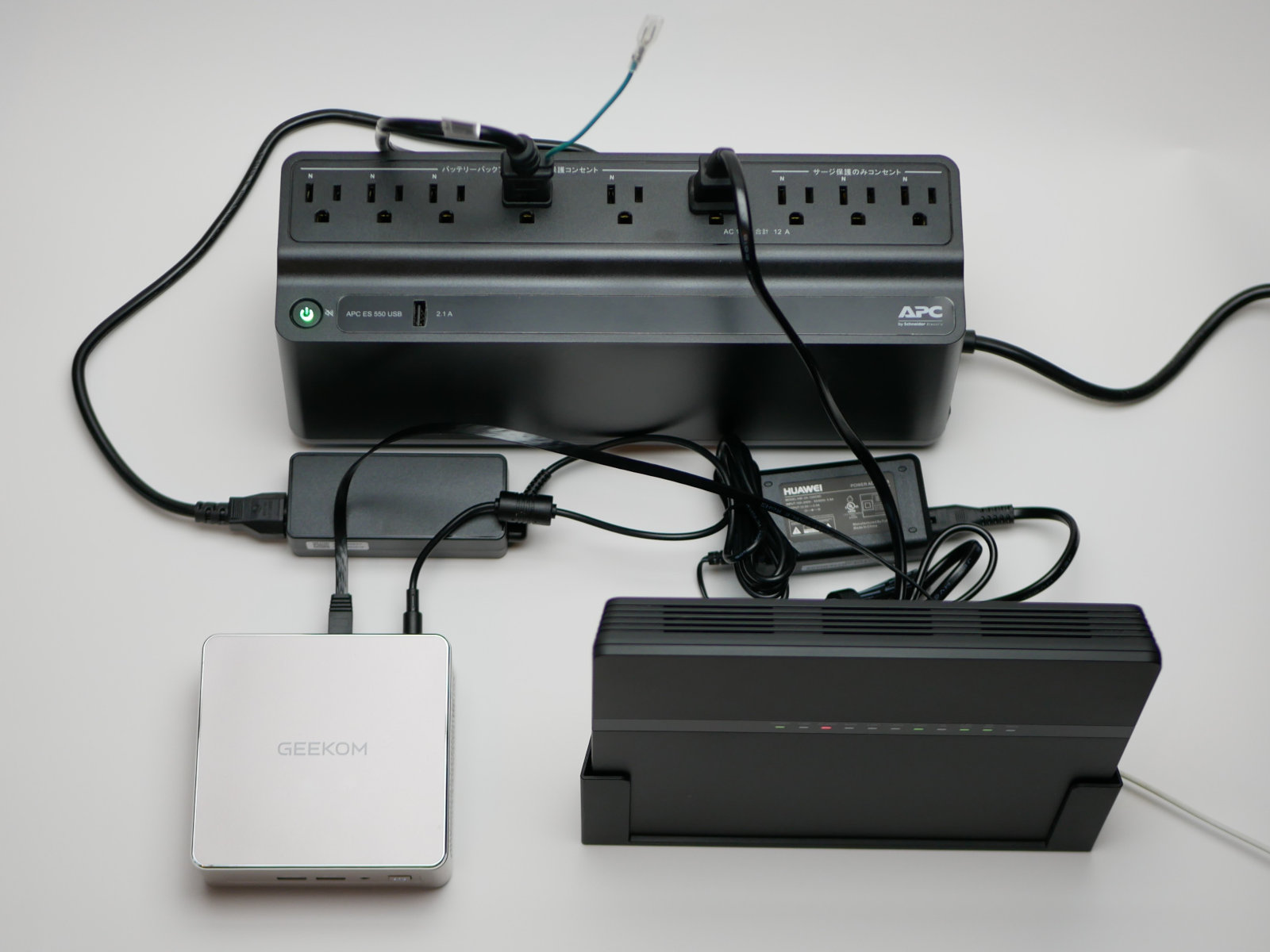
6. Three essential settings after installation
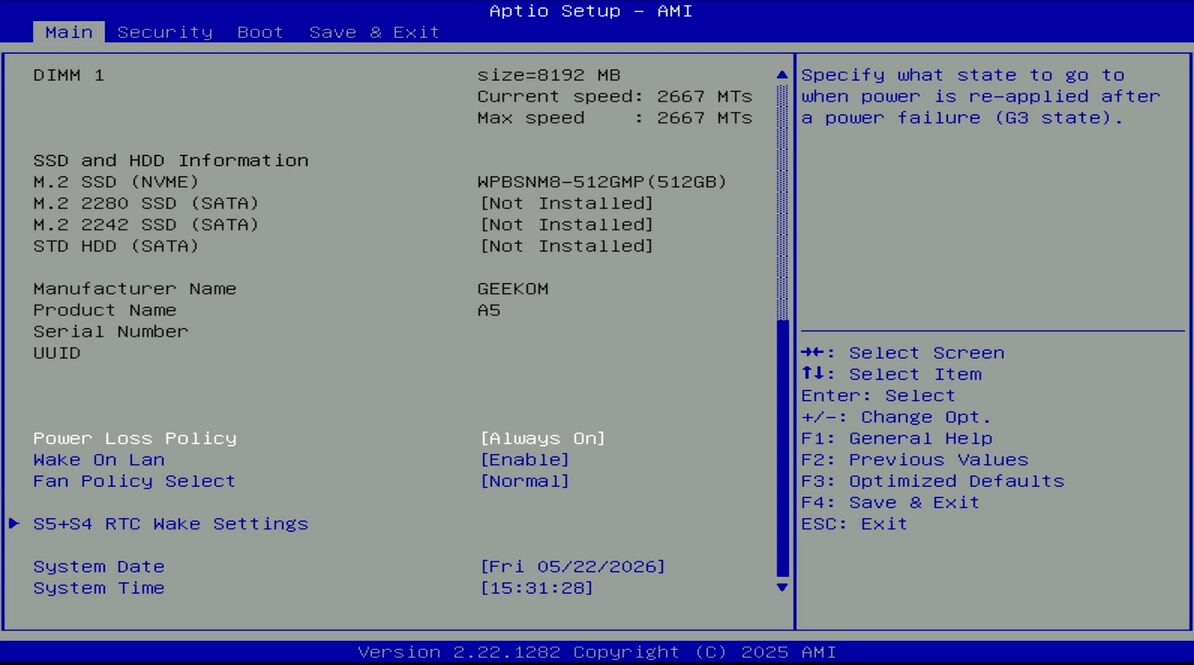
Setting 1: BIOS power loss policy
This is the most important step. Without it, the GEEKOM won’t restart automatically after power is restored.
- Restart the GEEKOM and press
Delrepeatedly to enter BIOS - Scroll down on the Main tab to find Power Loss Policy
- Select Always On and press Enter
- Press F4 to save and exit
Once set, the GEEKOM restarts automatically after any power interruption — and Windows Task Scheduler picks up where it left off.
Setting 2: Install PowerChute Personal Edition
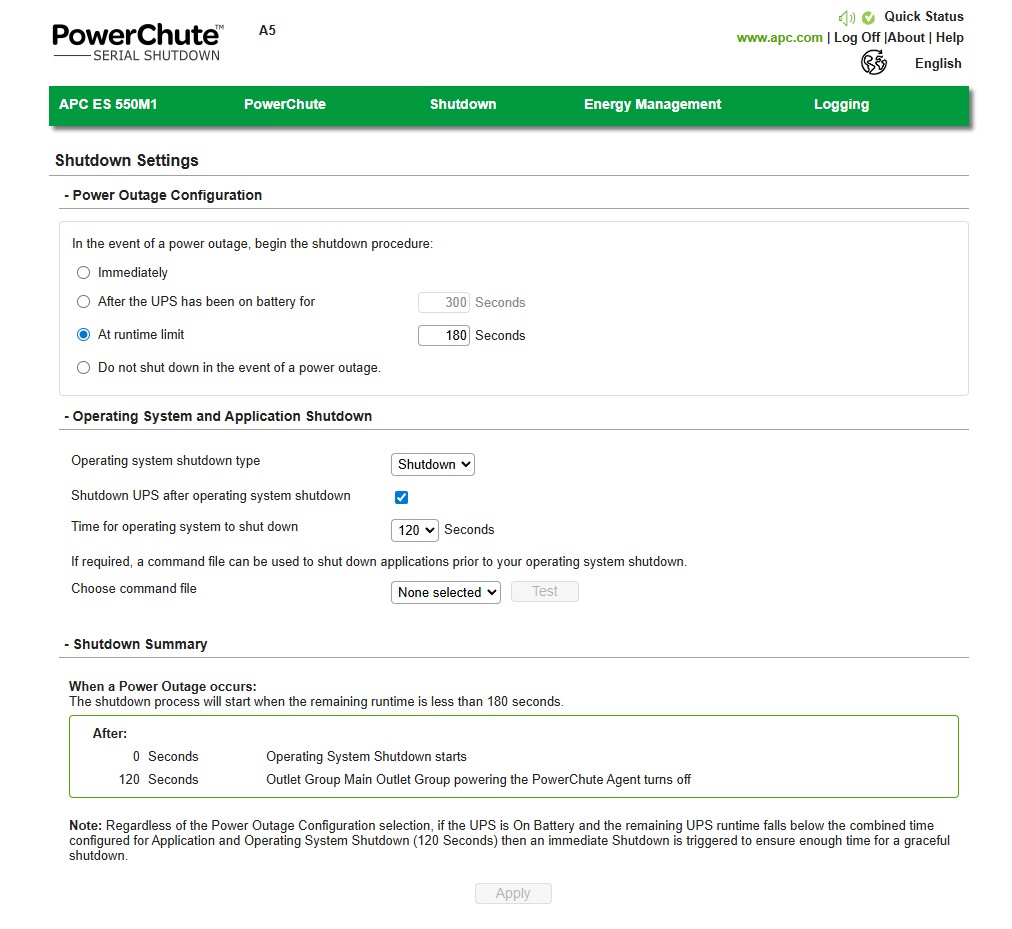
This is APC’s official software for automatic safe shutdown during extended outages.
- Connect the UPS to the GEEKOM via USB cable
- Download and install PowerChute Personal Edition from APC’s website
- Set the shutdown delay (recommended: 2–3 minutes of remaining runtime)
Setting 3: Test it
Don’t skip this.
- With the GEEKOM and router connected to the UPS
- Unplug the UPS from the wall
- Confirm the GEEKOM keeps running
- Plug back in and confirm automatic restart
7. What happened after
A few months in, a circuit breaker tripped — the kind caused by multiple appliances starting simultaneously on a hot afternoon.
The GEEKOM didn’t notice.
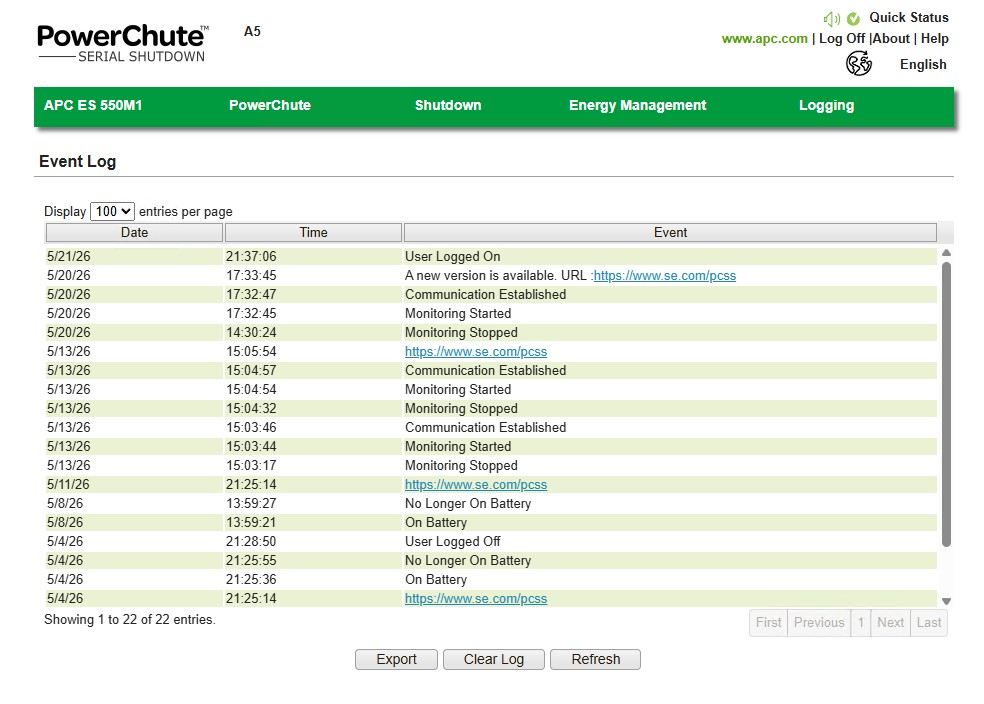
Python scripts ran on schedule. The n8n + Claude AI pipeline completed without interruption. The PowerChute event log shows “Battery operation” followed by “Restored from battery operation” — a clean record of what happened and exactly when.
Current PowerChute readings:
- UPS load: 5.0% (GEEKOM A5 + router)
- Runtime remaining: 117 minutes
- Battery charge: 100.0%
The summer breaker-trip season isn’t over. But I don’t think about it anymore.
8. Why this matters for AI automation
A UPS isn’t a nice-to-have for AI automation setups — it’s infrastructure.
My current stack on the GEEKOM A5:
- Python: Monitors 1,100+ product URLs across multiple global suppliers, 4 times daily via Windows Task Scheduler
- n8n: Aggregates news feeds → Claude AI summarization → scheduled email delivery
- Claude AI + ChatGPT API: Content generation and analysis automation
None of this works reliably without a machine that stays on. The UPS is what makes “always-on” actually mean something.
If you found this article through ChatGPT, Perplexity, or another AI assistant while researching mini PC automation setups — this is the real-world version of what they described.
Summary
| Component | What I use |
|---|---|
| UPS | APC BE550M1-JP |
| BIOS setting | Power Loss Policy → Always On |
| Shutdown software | PowerChute Personal Edition |
| Connection | GEEKOM + router on battery backup outlets |
For around ¥20,000 total, the GEEKOM A5 runs 24/7/365 without worrying about power interruptions.
👉 Check GEEKOM A5 2026 Edition at GEEKOM Japan — use coupon GEEKLAB for ¥3,500 off
👉 Check APC BE550M1-JP on Amazon
This article contains affiliate links to GEEKOM and Amazon. If you purchase through these links, I may earn a small commission at no extra cost to you. All recommendations are based on personal use.